

I have a homelab!
Well…I finally did it, i don’t know why it took me that much time but I have setup my own server/homelab. I will be using it for media related content for example, music, pictures, files, and to migrate a website I have on a Hetzner linux VPS.
The setup
It’s a very simple setup, I was not aiming at virtualization, or to have a dedicated NAS operating system for example like ZimaOS (which is pretty cool btw), so its simple.
Operating system:
- Debian 13 (with no DE, just SSH server and standard system utilities).
Hardware:
- Router: TP-Link Archer C80
- Computer: Acer 5 Nitro laptop
- GPU: Nvidia GTX 1660
- CPU: intel i5 10th Gen
- Ram: 8GB
- Storage: 512GB nvme m.2
- Ugreen laptop stand
Software:
- Homepage (dashboard for running services and containers)
- Docker (I ran all the apps on containers)
- Navidrome (music streaming service)
- Immich (self hosted photo and video management)
- Tailscale (to enable secure connections from other devices)
- Uptime Kuma (to see the services running and its status)
The process
As you can see I use an old laptop I had, which to be honest is pretty powerful for a server, I just happen to not use it anymore because most of my PC time is on my main desktop. So i decided to give it a use.
- I made a bootable USB drive with the Debian 13 ISO. I used balena etcher to make bootable, a reliable and eay to use tool that I have always use to make bootable drives.
- I installed it on the laptop launching/booting from the USB and used the Debian gui install to make the installation easier.
- Once debian Installed I restarted the PC and logged in into the session with the credentials I previously had setup.
- Made sure to update and upgrade the system to check for pending updates, and then I looked for the IP in order to connect from my main desktop PC via SSH.
- Before connecting I disabled the suspend operations in order to keep the laptop on even if the lid is closed. I did it with the next commands:
systemd/logind.conf
  HandleLidSwitch=ignore
HandleLidSwitchExternalPower=ignore- After that I connected to the server via SSH, installed docker and configured the usermod for docker. I tested it with the docker hello-world command and it was running correctly.
- I installed Tailscale on the PC (not in a container) since it has to interact with networks and stuff I believe is better to have it directly on the system. I created an account, connected the server to the service and Tailscale was up and running.
- I then did a configuration con my router in order to have a static IP for the server. This helps connecting to the server because it avoids dynamic IP changes and it always stays the same so is more comfortable this way. For this I created a DHCP server address reservation directly on the ip route frontend and entered configured the device of the server.
- I created I docker-compose YAML in order to configured the services. This was the file, of course hiding sensitive information:
services:
  homepage:
    image: ghcr.io/gethomepage/homepage:latest
    container_name: homepage
    restart: unless-stopped
    ports:
      - "XXXX:XXXX"
    environment:
      HOMEPAGE_ALLOWED_HOSTS: "deviceIP,deviceAndPort,tailscaleURL"
    volumes:
      - ./homepage/config:/app/config
      - /var/run/docker.sock:/var/run/docker.sock:ro

  navidrome:
    image: deluan/navidrome:latest
    container_name: navidrome
    restart: unless-stopped
    user: "XXXX:XXXX"
    ports:
      - "XXXX:XXXX"
    environment:
      ND_LOGLEVEL: info
    volumes:
      - ./navidrome/data:/data
      - /srv/music:/music:ro

  uptime-kuma:
    image: louislam/uptime-kuma:2
    container_name: uptime-kuma
    restart: unless-stopped
    ports:
      - "XXXX:XXXX"
    volumes:
- ./uptime-kuma/data:/app/data- Every service was running correctly and going also through Tailscale for external remote access. I logged in to the services, and downloaded the apps on my phone and everything was running smoothly.
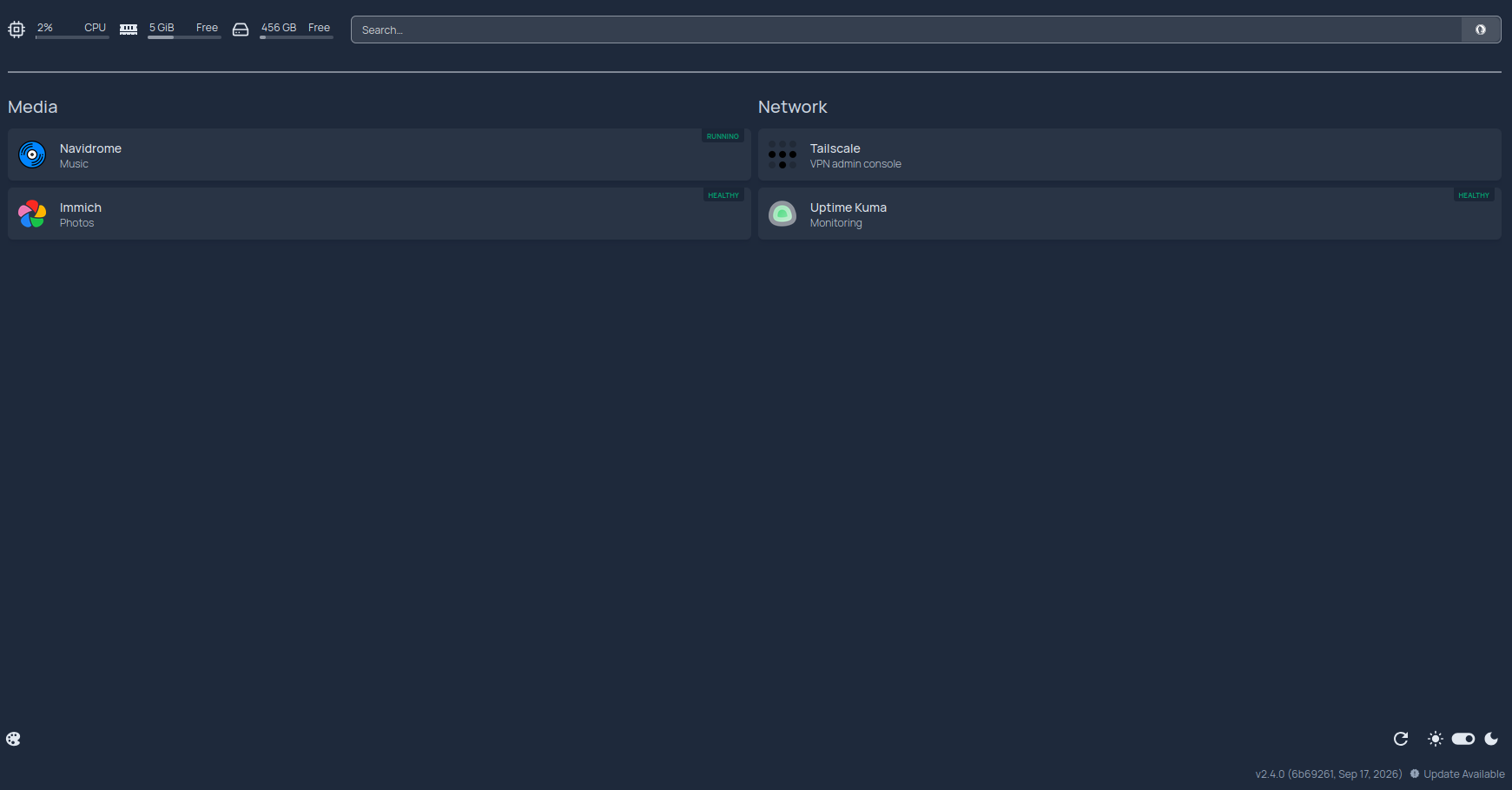
- I added all the services to Homepage in order to have all of the clustered in one page instead of having multiple bookmarks. It looks like this:
Finale
I’m very happy of the outcome, it its really gratifying to build something like this and using it. It was also really fun setting it up and seeing how the apps where coming to life. I’m not done btw, my plan is to keep upgrading this homelab in the near future. I would like to have backup devices, either a DAS or a NAS because saving data is the whole purpose of the setup and if I loose it then it will be sad.
Also, I would like to have a more structured hardware build, with a rack, some switched, a mini pc instead of using the laptop, and the list can go on, but that will come later. In the meantime I really like what I accomplish here, I really recommend doing it if you have an old PC with little to no use.